
A refunded sale is not automatically available stock. Before relisting a cross-listed item, establish where the physical item is, whether the original order is resolved, and what is already live on eBay and Depop.
This guide deals with the inventory decision after an order changes. For whether a return or refund is due and how to respond to the buyer, use the eBay returns guide or Depop returns and refunds guide. Keep the platform’s case instructions and deadlines separate from your stock review.
Identify which event actually happened
Cancellation, refund and physical return describe different events. They may occur together, but one does not prove the others are complete.
| Event | Where might the item be? | Inventory check |
|---|---|---|
| Buyer requests cancellation | Still on your shelf, packed, or already dispatched | Check the order and parcel before agreeing what happens next |
| Order cancelled before dispatch | Usually still with you, but verify it | Check whether the marketplace has relisted it |
| Full refund without a return | Still with the buyer or elsewhere | Keep it out of available stock |
| Partial refund, buyer keeps item | With the buyer | Do not relist it |
| Return in transit | In the delivery network | Wait for possession and inspection |
| Return received | Back with you | Inspect identity, condition and completeness |
| Missing parcel later returned | Back with you only after receipt | Review damage, the case outcome and any buyer arrangements |
These are stock-handling examples, not rules deciding a buyer’s entitlement. A refunded buyer can still possess the item, and a returned parcel can contain stock that is no longer suitable to sell in the same condition.
Before dispatch: check for automatic relisting
eBay’s cancellation guidance says single-quantity Buy It Now items are automatically relisted unless the seller chooses not to relist. That matters when the same physical item also has a Depop advert.
Review the cancellation confirmation and inspect the eBay listing. If you need to verify availability or condition first, pay attention to the relist choice rather than allowing an unexpected advert to become live. Use the actual reason for the cancellation; do not select an inaccurate unpaid-item reason to avoid another outcome.
For an unpaid order, eBay has a separate process and timing. Follow that guidance instead of treating a cancellation request as proof that the order has already ended.
After dispatch: keep the item unavailable
Once the item has left you, a request to cancel does not put it back on the shelf. Check the relevant marketplace process, any return arrangement and the tracking.
Keep the item unavailable to other buyers while it is travelling back. If a delivery is missing or damaged, the Australian Depop parcel checklist explains how to organise the delivery investigation separately.
Keep the original order reference with any refund and return-tracking references. This stops a later stock audit from mistaking a payment reversal for a physical return.
Inspect a returned item before changing its stock status
Set the parcel aside for checking rather than immediately putting it in an available-stock tub. Compare it with the original listing and your stock reference.
- Confirm it is the same item, size and identifying details.
- Check for missing accessories or parts.
- Inspect condition, wear, odour and any newly reported flaw.
- Save the relevant evidence and complete any required case response.
- Decide whether it can be sold, needs work, or should remain unavailable.
If something is disputed, use the platform’s response route and deadline. Do not hide the problem by immediately relisting the item or changing the evidence in the original listing.
For a straightforward return, update photographs and condition notes if the item has changed. The new buyer needs an accurate description of the item you now hold.
Review both marketplace adverts and the linked record
Search eBay and Depop before creating anything new. Record each current URL and availability, and check the supported relationship in Listalong if you use it.
Ask three questions:
- Has one marketplace already recreated an advert after cancellation?
- Does another active advert already represent this physical item?
- Can I confirm that the record I am about to act on is the correct item?
Do not assume a replacement eBay listing ID is the same as the previous ID or that a refund restores both sides automatically. Listalong’s sold-item workflow describes linked removal after a sale; that is not a promise of automatic return recovery.
If the right linking or recovery action is unclear, contact support before publishing a batch. The inventory reconciliation worksheet gives you a way to record the exception.
A worked returned-jacket example
Imagine a jacket with stock reference T8-024 sells on eBay and its matching Depop advert ends. The buyer later returns it. This is an illustrative example.
While the jacket is in transit, keep it unavailable. On arrival, confirm the reference and inspect the cuffs, zip and condition against the original record. If the jacket is complete and the case is resolved, check both marketplaces for a live advert before creating a new one. Record any new listing URL and verify the supported linked relationship.
If a cuff has a newly visible flaw, update the photographs and description before offering it again. If you cannot confirm that the return is the same item, resolve that discrepancy first.
Keep a short return-to-stock log
Record the original order, refund or cancellation result, physical receipt date, inspection outcome, current listing URLs and final stock location. Keep customer details in the order system; a stock log can use references instead.
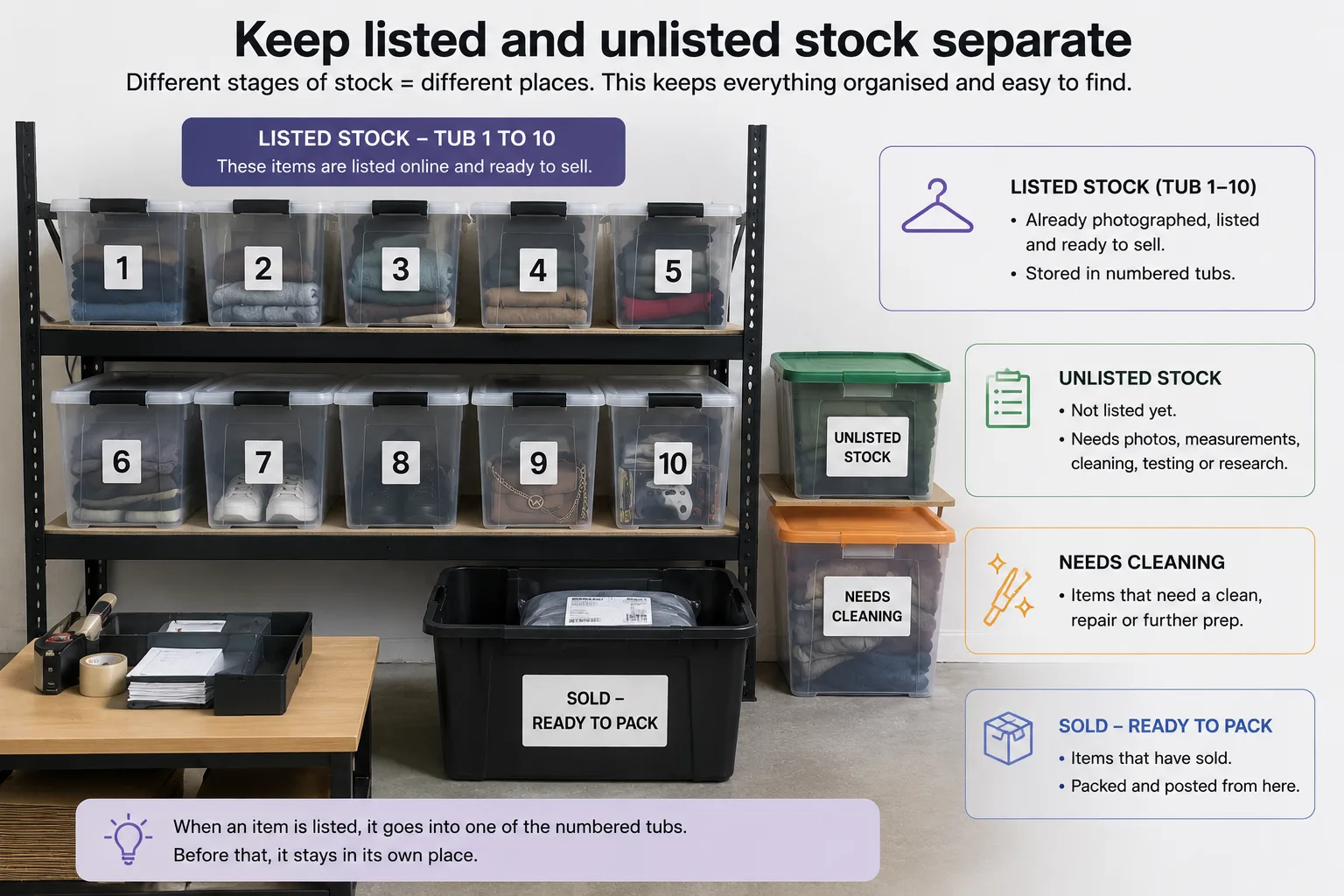
Only move the item into available stock when the review is complete. If it needs cleaning, repair, investigation or disposal, give it a distinct location so it cannot be picked for a new order by mistake.
Sources and scope
Reviewed 3 November 2026 using eBay’s seller cancellation guide, unpaid-order guidance and Listalong’s linked-sale workflow. This is an operational stock checklist; it does not replace a platform claim decision or the return-policy guidance linked above.
Frequently asked questions
Does a refund mean the item is ready to relist?
No. The buyer may still have it, it may be in transit, or it may have returned in a different condition. Confirm physical possession and saleability first.
Can an eBay cancellation create a live listing again?
Yes. eBay says a single-quantity Buy It Now item can be relisted automatically unless you choose not to relist when cancelling. Check the actual cancellation and resulting listing.
Will Listalong automatically restore both listings after a return?
Do not assume that. Inspect the marketplace listings and linked record, and confirm the supported recovery workflow with Listalong if it is unclear.