

You can now crosslist eBay and Depop items to Facebook Marketplace with Listalong. Select existing items, press Crosslist and choose Facebook Marketplace. Listalong reuses your photos and supported details, matches a Facebook category and fills the listing form, so you can offer suitable stock locally without rebuilding each advert from scratch.
Facebook crosslisting currently supports Australian-dollar, single-item listings. Publishing and Facebook status syncing run through the Listalong Connector for Chrome or Edge: keep your computer on, browser open and Facebook signed in. Buyer messages and pickup arrangements stay in Facebook.
The extra advert is only part of the job. You also need connected stock records when a Facebook buyer wants you to hold an item until the weekend. This guide covers the setup, what to review and how linked listings behave after a hold or sale.
How to crosslist eBay listings to Facebook Marketplace with Listalong
Start with an existing eBay listing that accurately describes the physical item you have available. Depop listings can be used as a source too.
- Connect your source marketplace to Listalong. Find the existing items you want to crosslist and check that each record represents the correct item.
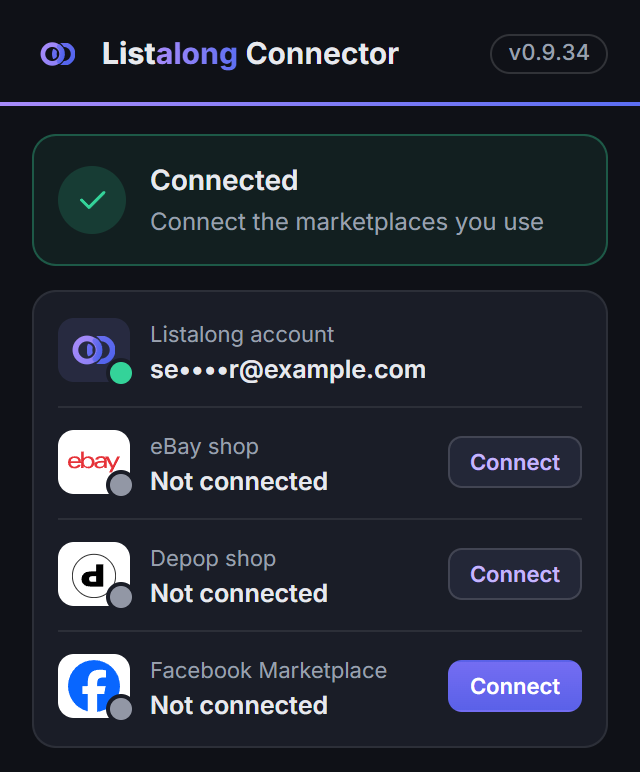
- Connect Facebook in the Listalong Connector. Use Chrome or Edge, sign in to Facebook and confirm the account name shown in the connector. Reconnect if you change Facebook accounts.
- Start with one suitable item. Choose an Australian-dollar, single-item listing. Review its photos, description and intended pickup offer.
- Press Crosslist and choose Facebook Marketplace. Listalong reuses supported listing information and fills the Facebook listing form. Facebook publishing starts with this action; it is separate from automatic eBay and Depop crosslisting.
- Keep the connection running. Leave your computer on, browser open and Facebook signed in while publishing completes.
- Check the result. Inspect the Facebook advert, destination price and matching stock record before selecting more items.
Facebook uses whole-dollar prices in this workflow, so check the destination price if your eBay price includes cents. Marketplace rules and review still apply; a publishing attempt is not a guarantee that Facebook has approved an advert.
For the current setup requirements, see Facebook Marketplace crosslisting with Listalong. Once the first item looks right, use the bulk crosslisting checklist to prepare a larger batch.
Choose a small batch with a clear reason to crosslist
Starting from a Depop shop? Use the Depop to Facebook publishing guide for the setup and description checks, the Depop batch checklist for several garments, and the Depop and Facebook shared-stock guide for orders and pickup holds.
Start with a few items you can locate and identify easily. Consider whether local collection makes sense: a bulky item may be inconvenient to post, while a clothing bundle might suit someone who can inspect and collect it nearby.
Choose items that suit the way you can sell locally. Ask:
- Is this item allowed in the destination marketplace?
- Can I clearly describe and photograph its present condition?
- Can I realistically answer messages and arrange collection?
- Do I know where its existing listings are?
- Can I make it unavailable elsewhere if I agree to hold it?
Do not start by copying an entire store. Check one completed listing first so an incorrect location or stale description does not repeat across the batch.
Find the existing listing before making another
Open Facebook’s selling area and check whether this item is already advertised. A title search alone may miss it if you previously used different wording.
Match the physical item, photographs, size, model and distinguishing details. Use one private stock reference for the item across your records. Our reseller SKU guide explains how to give each item a reference that stays useful when its listing title changes.
If you find an existing Facebook advert, review that listing instead of creating an unnecessary duplicate. Record its link alongside the eBay or Depop link.
Reuse the facts and rewrite the offer
An eBay description might include tracked postage, handling times or text intended for eBay buyers. A Depop description may include shop-specific bundle wording. Check those promises before copying the description.
| Detail | Reuse when accurate | Review for Facebook |
|---|---|---|
| Photographs | Your own images of the exact item | Current condition, included accessories and quantity |
| Identity | Brand, model, labelled size and material | A clear title someone can understand quickly |
| Condition | Specific wear, repairs and missing parts | The condition option in the destination form |
| Measurements | Measurements taken from this item | Units and an explanation of what was measured |
| Price | Your private pricing research | The actual Facebook offer and pickup costs |
| Fulfilment | Nothing by default | Collection area and any delivery arrangement you explicitly offer |
For example, suppose your eBay description says “Blue denim jacket, size 12, small mark on left cuff, tracked postage.” For a pickup-only Facebook offer, keep the identity and cuff disclosure, remove the postage promise and add your collection suburb. Keep the photograph of the mark.
Use the Facebook description templates if your source listing needs a clearer structure.
Set the price for what you are actually offering
Separate the item price from delivery. An eBay price that includes postage is not directly comparable with a Facebook pickup price.
As an illustrative calculation, an A$50 posted sale with A$10 postage and A$2 packaging leaves A$38 before any other costs. An A$40 pickup sale leaves A$40 before other costs and collection-related time or travel. Those are example figures, not marketplace fee rates or a suggested discount.
Use your actual costs and account terms. Do not automatically subtract a fixed percentage for Facebook or describe every sale as fee-free without checking the specific selling method.
Publish and check the destination listing
After crosslisting, check the photographs, title, price, category, condition and location in Facebook. If you are creating an advert yourself, follow the Facebook posting guide.
If Facebook shows a review or rejection notice, read it before trying again. Publishing another copy does not establish that the first attempt failed. Keep your stock record clear about whether the advert is live, awaiting review or needs attention.
Decide how holds and sales will affect the other adverts
A Facebook buyer saying “I can collect Friday” creates an inventory decision. If you agree to reserve the item, make sure an eBay or Depop buyer cannot purchase it during that reservation. Merely adding “pending pickup” to a description elsewhere does not disable checkout.
Record the agreed hold and use each marketplace’s appropriate availability controls. When the sale completes, check every matching advert. If the pickup falls through, confirm you still have the item and inspect the current listings before making it available again.
The pending and sold checklist walks through those cases.
Where Listalong fits
Listalong now supports Facebook Marketplace crosslisting from existing eBay and Depop items. It also helps manage the linked stock after publishing, while the connector is connected and your computer and browser are on with Facebook signed in.
Marking a linked Facebook item pending or sold ends its matching eBay and Depop listings. Pending is not recorded as a sale. If the buyer falls through, marking the Facebook item available triggers a reminder to relist elsewhere; it does not automatically restore the ended listings. When a linked item sells on eBay or Depop, Listalong can mark its Facebook listing sold.
These actions depend on the correct listing links and a working connection. Check the outcome before promising the item to another buyer. Group sharing, buyer messages and collection arrangements remain in Facebook.
Whatever tool you use, finish with three checks: the destination advert is correct, its link belongs to the right physical item, and you know what to do when that item is held or sold.
Before adding another advert, compare the item and delivery method in our Facebook Marketplace versus eBay guide. A second channel is useful when you can maintain its listings and fulfil the offer.
Frequently asked questions
How do I crosslist eBay listings to Facebook Marketplace with Listalong?
Connect Facebook in the Listalong Connector for Chrome or Edge and confirm the account name. Select suitable existing eBay items, press Crosslist and choose Facebook Marketplace. The current workflow supports Australian-dollar, single-item listings. Keep your computer on, browser open and Facebook signed in for publishing and status syncing.
Can I list the same item on eBay, Depop and Facebook Marketplace?
You can prepare listings for the same stock where each marketplace allows the item and your account can sell it. Keep the records connected and remove or end the other listings promptly when the item is reserved or sold. One physical item cannot fulfil two orders.
Can I reuse my eBay photos on Facebook Marketplace?
Use your own photographs, or images you have permission to use, if they still accurately show the item. Check that accessories, condition and the quantity shown match the Facebook offer.
Should my Facebook price match my eBay price?
Set a deliberate price for each offer. Local pickup and a posted sale have different costs, so check what the buyer receives and what you keep instead of copying a number without reviewing it.